Budget
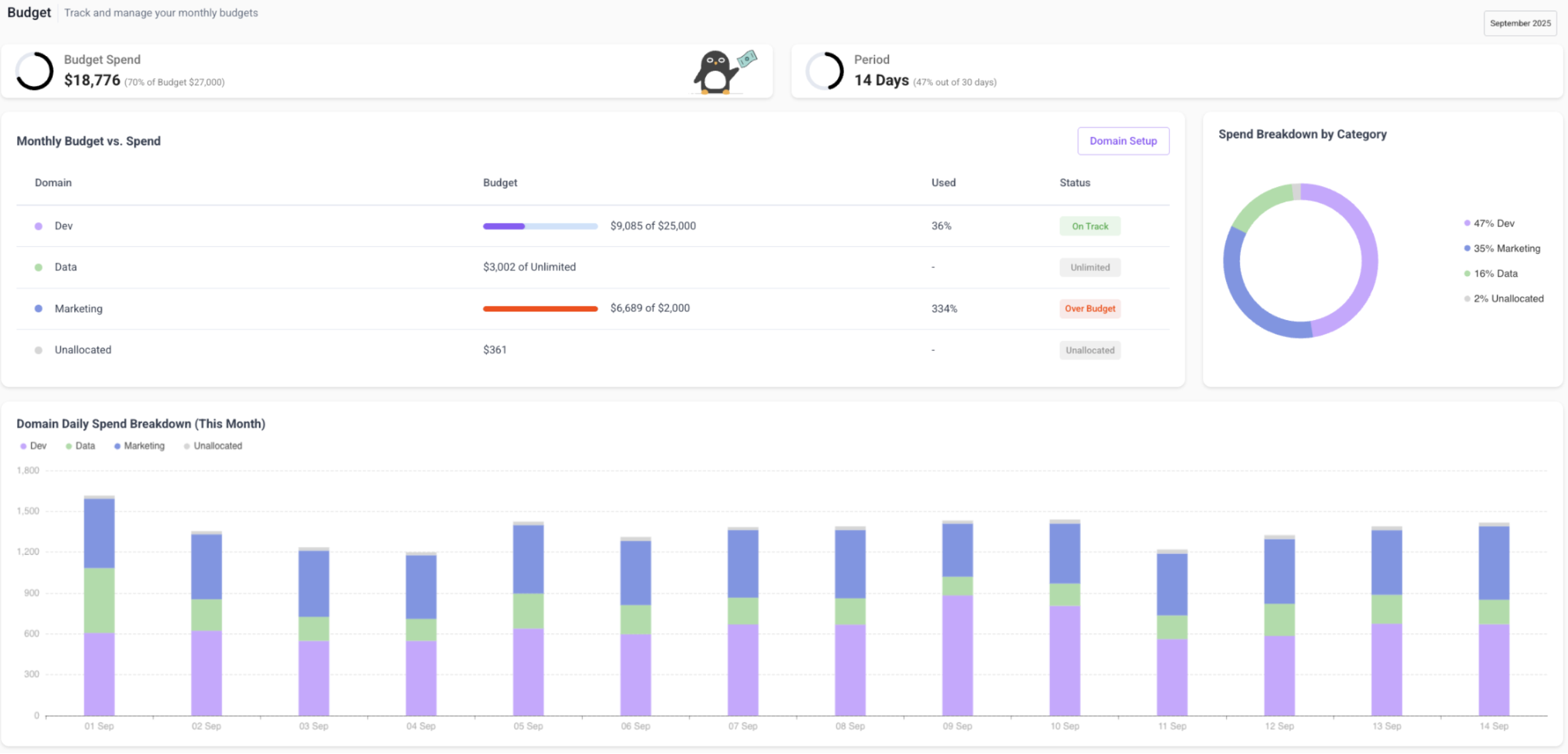
The Budget page provides full visibility into Snowflake spend by grouping usage into domains and comparing it against assigned budgets.
Key Concepts
Domains
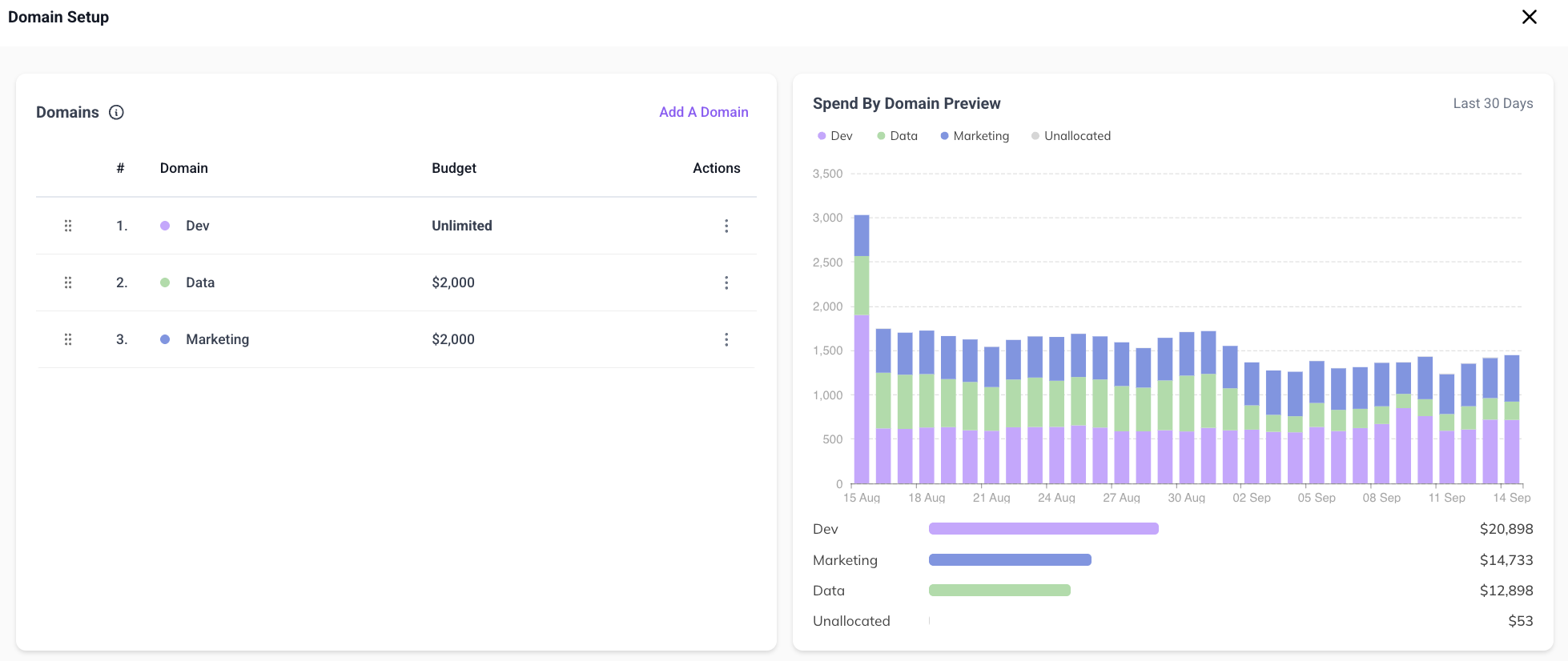
Domains are rule-based groupings of Snowflake spend, defined by users and/or warehouses. The system evaluates domains hierarchically to prevent duplicate cost attribution. Reorder priority via drag-and-drop.
Budgets
Budgets are monthly targets assigned to domains.
note
Workloads continue to run even if a budget is exceeded - there is no operational impact. Budgets are for monitoring only.
Unallocated Spend
Unmatched spend is grouped as Unallocated. This often highlights new workloads or one-off queries that may need their own domain.
Visualizations
- Monthly spend snapshots vs. budget targets
- Daily usage patterns to identify anomalies
- Real-time 30-day historical previews when adjusting domain rules
- Temporal navigation for historical month comparisons
Getting Started
- Create a domain by defining its rules (users and/or warehouses)
- Validate the domain against historical data
- Assign a monthly budget
- Set the domain's priority in the hierarchy
- Monitor spend vs. budget over time