Configure Permissions
This step allows you to control which Snowflake roles can access Yuki warehouses. By selecting specific roles, you ensure that only authorized users can query through Yuki.
This configuration step is part of the Yuki setup process and helps you manage warehouse access securely.
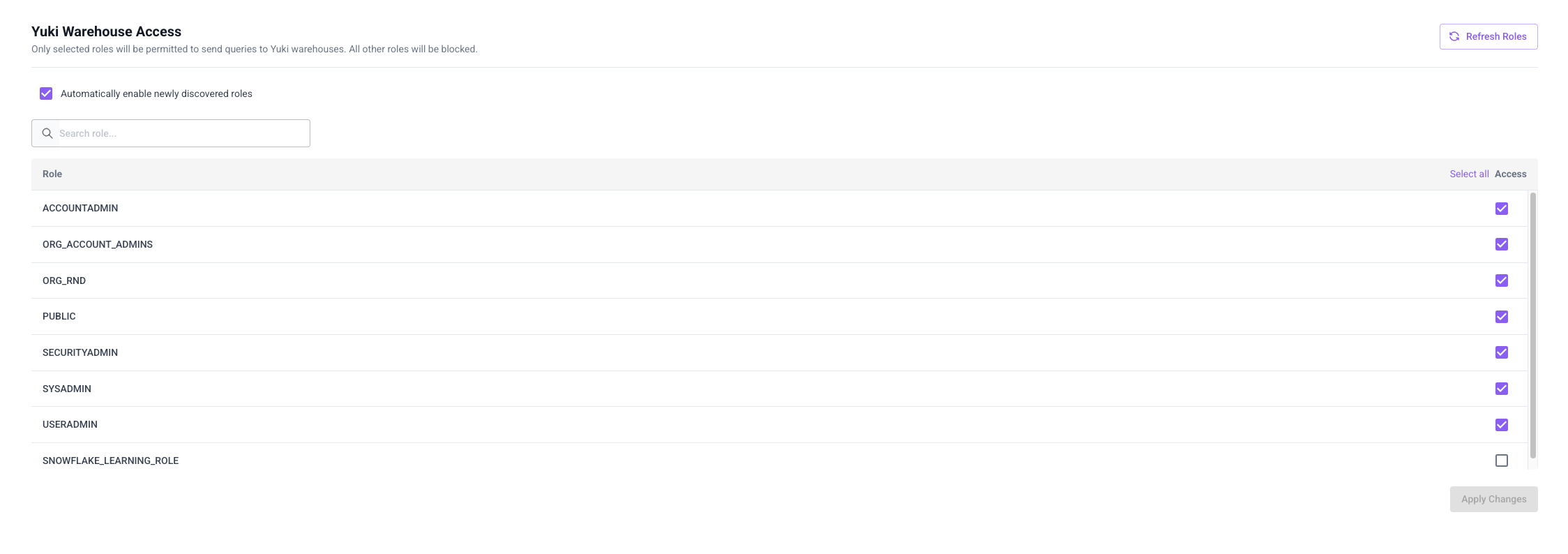
Yuki Warehouse Access
Only selected roles will be permitted to send queries to Yuki warehouses. All other roles will be blocked.
How to Configure Permissions
- In the Yuki app, go to Settings > Permissions
- You'll see the Yuki Warehouse Access section with a list of available Snowflake roles
- Use the search box to find specific roles quickly
- Check the boxes next to the roles you want to grant access to Yuki warehouses
- Click Refresh Roles to update the list of available roles from your Snowflake account
- Once you've selected all desired roles, click Apply Changes to save your configuration
Automatically Enable Newly Discovered Roles
The Permissions page includes an Automatically enable newly discovered roles checkbox.
When this is checked, any role that Yuki detects in Snowflake - including new roles that appear later - is automatically granted USAGE on the relevant warehouses. No manual action is needed for these roles to gain access.
If you'd rather review new roles yourself before granting them warehouse access, uncheck this box. New roles will then show up unselected in the list, and you can enable access for each one individually.
Next Step
Proceed to Deploy the Yuki Proxy.